


 Experience
 Software Presentation

 WinTools.net
Latest version: 24.3.1 | From: April 08, 2024
WinTools.net
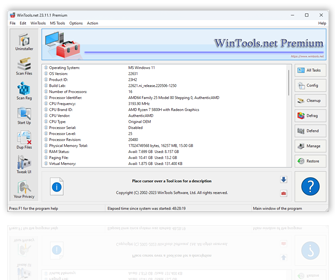
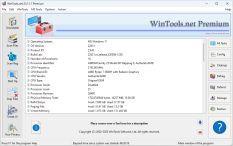
is a comprehensive suite of tools designed to boost the performance of your
MS Windows operating system. WinTools.net not only removes unwanted software and dead references from your disk drives and registry, but it also puts you in control of your MS Windows startup process and memory monitoring. With the ability to customize your desktop and system settings, you can tailor your computing environment to fit your specific needs. WinTools.net also enhances the speed and stability of your internet connection, ensuring a smoother online experience. Prioritizing your privacy, it keeps your sensitive information secure.
WinTools.net includes tools such as Clean Uninstaller, Scan Files, Scan Shortcuts, Scan Registry, Startup Manager, Tweak UI, Net Tweaker, The Privacy, Invisible Man, File Shredder, and more. Whether you’re using a home PC or the most advanced dedicated servers, these tools are guaranteed to enhance your computer’s performance. Experience the difference with WinTools.net!
The WinTools.net software is available in three editions: Home, Professional, and Premium. Each edition is tailored to cater to different user needs, from basic home use to advanced professional requirements. Experience the power of optimization with WinTools.net!
WinTools.net system requirements:
- Operating system: MS Windows 11/10/8.1/8/7/VISTA/Me/2000/XP x86 x64
- Download Size: 3 MB
What’s new in WinTools.net version 24.3.1:
- LCU and Drive Repository folders were removed from Folder Tool.
- The SetWindowPosition method has been updated.
- Files and folder masks have been sorted.
Tools included in WinTools.net

 WinTools.net: Scan Files
is used for periodic cleaning of your hard drive from dead references, junk, and obsolete files produced by different software. These files and references persist on the hard disk, leading to increased drive access time.
 WinTools.net: Scan Shortcuts
is utilized to periodically scan shortcuts of the MS Windows operating system in order to identify, rectify, or eliminate shortcuts with dead or broken links.
 WinTools.net: Scan Registry
is employed for the regular cleaning of the MS Windows registry, removing unused applications that remain after uninstallation and invalid references that decrease system speed and system loading time.
 WinTools.net: Startup Manager
permits you to monitor, add, remove, enable, and/or disable individual startup items. It modifies applications that are initialized during the loading process of the operating system.
 WinTools.net: Objects Eraser
eliminates traces of activity on your computer. It purges the history of initiated programs, search history, history of recently opened documents, and browsing history of various internet browsers.
 WinTools.net: System Tweaker
is a collection of supplementary adjustments related to safety, system capacity, and user preferences that are not encompassed in the basic components of MS Windows.
 WinTools.net: Net Tweaker
is used to enhance the speed and stability of the Internet connection by utilizing hidden system settings. It corrects TCP/IP connection errors and updates caches.
 WinTools.net: Duplicate Files
is a user-friendly tool that assists you in locating and eradicating duplicate files (files that have identical content, but not necessarily the same name) from your computer.
 WinTools.net: Invisibility
is utilized for storing private information and its subsequent restoration. This is beneficial if you prefer not to have any information retained by the system.
 WinTools.net: File Shredder
is a tool that shreds and permanently eliminates unwanted files and the contents of selected folders from your computer, making recovery impossible.

WinTools.net

Special Offers
Please visit our Special
Offers and Discounts page
No sales Tax/VAT!
you save $5-8
on every purchase!

Company News

Recommends
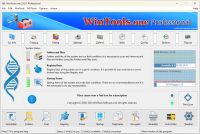
WinTools.one is a versatile tool designed for all users, from novices to computer engineers, to optimize the MS Windows operating system. It enhances system performance, corrects errors, frees up disk space, and manages installed programs. Additionally, it safeguards confidential information and supports virtual disk operations.
WinTools.one is the next generation of the WinTools.net program. It embodies all the strengths of WinTools.net, introduces new modern tools, and is optimized for the latest versions of MS Windows. In line with evolving technology trends, it has discontinued support for operating systems that are no longer maintained by Microsoft.
OS: MS Windows 11/10/8.1/8/7/VISTA
Download size: 3 MB

Feedback
Please send your comments and defect reports to [email protected]
We also welcome your suggestions regarding improving the quality and ease of use of our software.
Thank you for your support!
WinTools.net Recommends

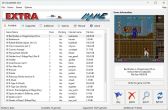 ExtraMAME 24.3
play thousands of old-school arcade games on your PC. ExtraMAME is a small Windows GUI wrapper for MAME, the Multiple Arcade Machine Emulator authored by Nicola Salmoria and the MAME team. Extra MAME is smaller and easier to use. It doesn't force you to fuss with difficult configurations and it's compatible with all MAME games.
Operating system: WS Windows 11/10/8.1/8/7/VISTA x64; Download size: 80 MB
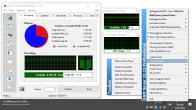 RAM Saver 24.3 Professional
an easy-to-use RAM optimizer tool that will keep your computer running faster. It increases the operating system performance by making more memory available for your applications. RAM Saver Pro will: defragment system memory for faster access time; increasing the efficiency of your CPU and Motherboard caches; recover memory leaks from poorly behaved applications; temporarily flush unused libraries out to disk and so on. Using these optimization tricks will help your favorite applications and games run faster and more efficiently - even on old computers.
Operating system: WS Windows 11/10/8.1/8/7/VISTA/Me/XP/2000 x86 x64; Download size: 2 MB
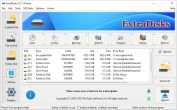 ExtraDisks 24.3.1
is a suite of tools for creating Virtual disks on your computer – physical drives remain unchanged and are not divided into additional partitions. The program contains tools for creating Encrypted disks, Virtual disks based on files and Virtual disks based on folders. The current version consists of the following tools: Encrypted Disks, Virtual Disks, Folder Disks, Startup Manager, System Tweaker.
Operating system: WS Windows 11/10/8.1/8/7/VISTA x86 x64; Download size: 2 MB
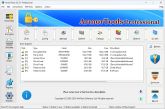 ArmorTools 24.3.1 Professional
is a set of tools that expands the capabilities of the MS Windows operating system in the field of security and protection of user confidential information. ArmorTools allows you to create secure virtual disks encrypted using AES128/AES256 algorithms, encrypt files and folder contents using any file as a password. ArmorTools removes traces of the user's work on the computer, clears the history of visiting sites, deletes confidential information without the possibility of recovery.
Operating system: WS Windows 11/10/8.1/8/7/VISTA x86 x64; Download size: 2 MB
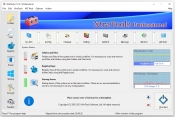 XtraTools 24.3.1 Professional
is an all-in-one MS Windows system optimization tool that takes care of every aspect of your computer's operation - from optimizing the registry and removing unnecessary programs to tweaking your network connections to boosting RAM speed. It's a compact tool with an intuitive interface that gives you full control over the startup process, memory monitoring and a huge array of system settings controlling the work of your computer.
Operating system: WS Windows 11/10/8.1/8/7/VISTA x86 x64; Download size: 2 MB
Download XtraTools Pro XtraTools Program Page
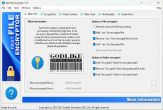 FastEncryptor 12.1
is designed for fast processing of extremely large files. It can encrypt or decrypt files, contents of folders and contains a lot of additional tools. The Fast File Encryptor presents a flexible user interface with detailed messages about all operations. The Fast File Encryptor features the following tools: Encrypt File, Encrypt Folder, Often Used Files, File Shredder, Folder Drive.
Operating system: WS Windows 11/10/8.1/8/7/VISTA/Me/XP/2000 x86 x64; Download size: 2 MB
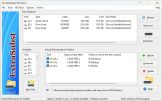 ExtraSubst
9.1
ExtraSubst
9.1
a program designed to facilitate access to frequently used folders on your computer. It is also used to create, edit and delete virtual disks on your computer. Extra Subst creates virtual disks based on the selected folders. Physical disks remain unchanged and are not partitioned into additional partitions.
Operating system: WS Windows 11/10/8.1/8/7/VISTA x86 x64; Download size: 2 MB
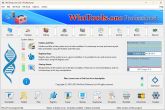 WinTools.one 24.3.1 Professional
is a versatile tool designed for all users, from novices to computer engineers, to optimize the MS Windows operating system. It enhances system performance, corrects errors, frees up disk space, and manages installed programs. Additionally, it safeguards confidential information and supports virtual disk operations. WinTools.one is the next generation of the WinTools.net program. It embodies all the strengths of WinTools.net, introduces new modern tools, and is optimized for the latest versions of MS Windows. In line with evolving technology trends, it has discontinued support for operating systems that are no longer maintained by Microsoft.
Operating system: WS Windows 11/10/8.1/8/7/VISTA x86 x64; Download size: 2 MB


is utilized for both the accurate uninstallation of software and for tracking modifications made to the hard drive, MS Windows registry, and system files during the installation of a program.